Kjell Karlsson

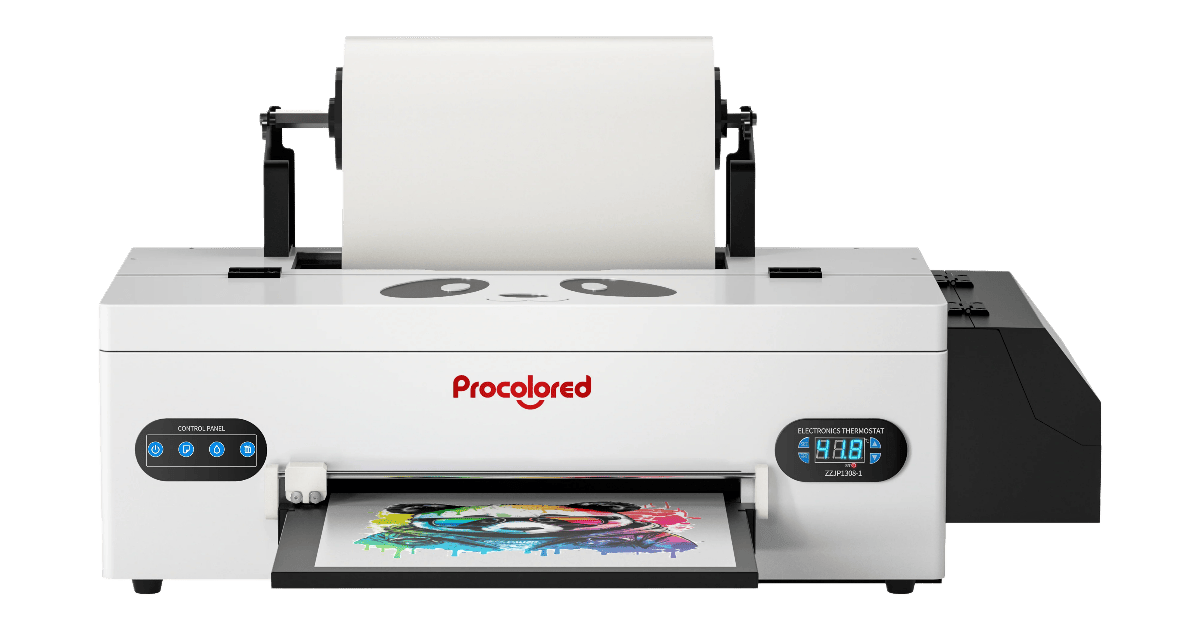
Our Procolored F13 Pro Panda review covers real-world specs, pros & cons, inks, workflow, costs, and setup tips—so you can decide if this dual-head 13″ (A3) DTF fits your shop.
Procolored F13 Pro Panda Review (A3 / 13″ Dual-Head Direct-to-Film Printer)

📋 Key Specifications — Procolored F13 Pro Panda (A3, Dual Heads)
| Manufacturer | Procolored |
| Printheads | Dual (XP600-class, vendor listing) |
| Max Print / Media Width | A3 (~13″) roll & sheets |
| Resolution / Modes | Up to 1200–1440-class modes (vendor family) |
| White Ink Handling | Siphon white-ink circulation + stirring; moisturize cap; semi/auto clean |
| Auto Maintenance | Auto clean every 10 h when powered on; ~1 ml/day ink use |
| Included (bundle) | Windows Procolored RIP (USB dongle), cables, tubes, syringes (bundle varies) |
| OS / Requirements | Windows only; vendor notes RAM ≥ 8 GB, C: ≥ 50 GB for RIP |
| Notable Extras | Upgraded, lighter chassis; faster jobs vs single-head F13 |
Dual heads, auto-clean timing/consumption, Windows RIP/bundle items, and siphon circulation from Procolored pages (US/EU) and bundle listing. :contentReference[oaicite:1]{index=1}
Compared with single-head A3 units, the F13 Pro delivers noticeably faster gang-sheet turns. Siphon circulation and timed cleans keep the white channel active, and the lighter Gen-2 build improves day-to-day handling. :contentReference[oaicite:2]{index=2}
🔍 Performance Analysis — Procolored F13 Pro Panda review
Dual heads shorten print times for dense whites and solid fills compared with the single-head F13. The Siphon white-ink circulation (less mechanical stress in the loop) aims to improve stability on long runs, while timed auto-cleans prevent dry-start banding after idle periods. Expect best gains on repeat logo sheets and medium-coverage gang layouts. :contentReference[oaicite:3]{index=3}
🔗 Connectivity, RIP & Workflow — Procolored F13 Pro Panda review
Bundles ship with the Procolored RIP (Windows-only), USB dongle, and basic accessories. Set named presets per film SKU (passes, ink order, heater targets) and use hot-folders for reorders. If you pause on weekends, either leave the unit powered for the 10-hour cleans (~1 ml/day) or follow the vendor storage routine to avoid Monday purges. :contentReference[oaicite:4]{index=4}
💰 Running Costs & Uptime — Procolored F13 Pro Panda review
White coverage dominates cost. The F13 Pro’s siphon circulation + auto-clean reduce clogs and nozzle recovery time, which translates to fewer scrapped sheets. Maintain 40–60% RH, run quick nozzle checks before batches, and consider a “white coverage surcharge” on heavy designs. :contentReference[oaicite:5]{index=5}
🎯 Who Should Buy It? — Procolored F13 Pro Panda review
Choose the F13 Pro if your single-head A3 can’t keep up and you need more speed without jumping to 24–35″. If you mainly do tiny one-offs, the F8/F13 single-head may be cheaper; if you run constant dark-shirt backs, step up to wider dual-head platforms.
❓ FAQs — Procolored F13 Pro Panda review
What’s the key upgrade vs F13 single-head?
Dual printheads for faster output, plus the Gen-2 Siphon white-ink circulation for stability. :contentReference[oaicite:6]{index=6}
Does it auto clean?
Yes—if left powered on, it performs automatic cleaning every 10 hours, using roughly 1 ml/day of ink per vendor. :contentReference[oaicite:7]{index=7}
Is it Mac compatible?
The included RIP is Windows-only (vendor notes RAM ≥ 8 GB and ≥ 50 GB on C: drive). :contentReference[oaicite:8]{index=8}